Generating
Seeds, batches and counts
Control randomness and generate several variations at once.
Seeds
A seed is the starting point for the randomness in a generation. The same prompt, settings, and seed produce the same result.
- Leave the seed field empty to get a new random result each time. This is the normal way to explore.
- Reuse a seed (shown on a finished result) to reproduce or refine an image while keeping its overall composition. Change a few words or nudge the advanced controls and regenerate.
Tip: to get a random result, leave the seed blank. You do not need to type anything special in the field.
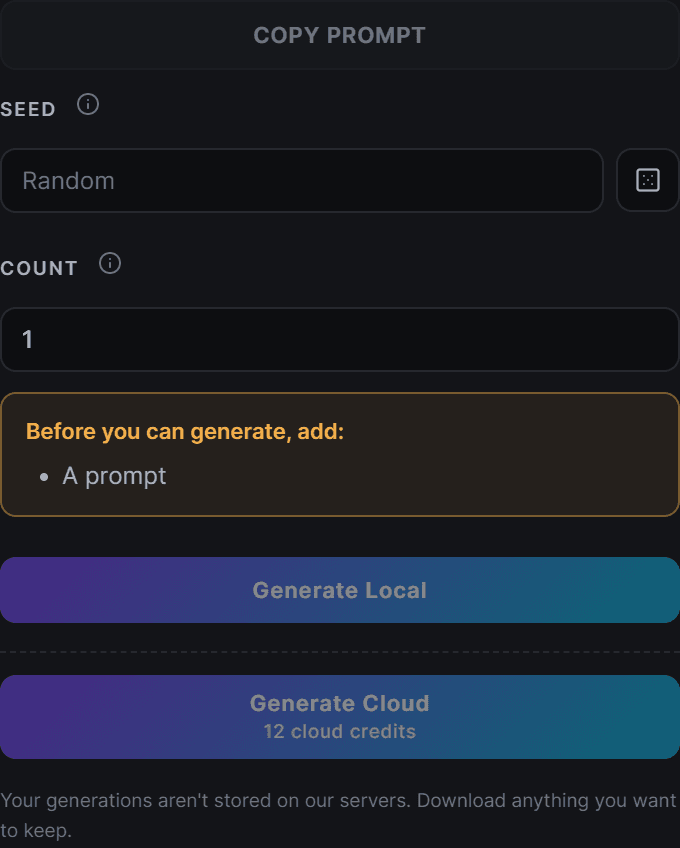
Count and batches
Generating more than one result at a time is the fastest way to find a keeper.
- Set the count to make several variations from the same prompt in one go.
- Each one uses a different seed, so you get a spread of options.
- In the cloud, each result in the batch costs credits, so the total is the per-generation cost times the count.
A good workflow
- Write your prompt and pick a preset.
- Generate a small batch with an empty seed.
- Pick the best result and copy its seed.
- Reuse that seed, refine the prompt or settings, and generate again to converge on the final image.