Resolution, aspect ratio and duration
Control the size, shape, and length of what you generate.
These three settings decide the size and shape of your output, and for video, how long it runs. They also affect speed and, in the cloud, cost.
Resolution
Resolution is the level of detail, offered as tiers such as 480p, 720p, and 1080p.
- Higher resolution means more detail but slower generation and, in the cloud, a higher cost.
- Lower resolution is great while you experiment. Raise it for the final result.

Each preset exposes the resolutions it supports. SimpliGen always generates at one of the offered tiers.
Aspect ratio
Aspect ratio is the shape of the frame, such as 1:1 (square), 16:9 (wide), or 9:16 (tall). Pick the one that fits where the result will be used, for example 9:16 for phone or story formats and 16:9 for widescreen.
Duration (video)
For video presets, duration sets how long the clip runs.
- Longer clips take longer to generate and cost more in the cloud.
- Some presets work in fixed chunks, so the slider snaps to whole steps and the label rounds to the nearest second.
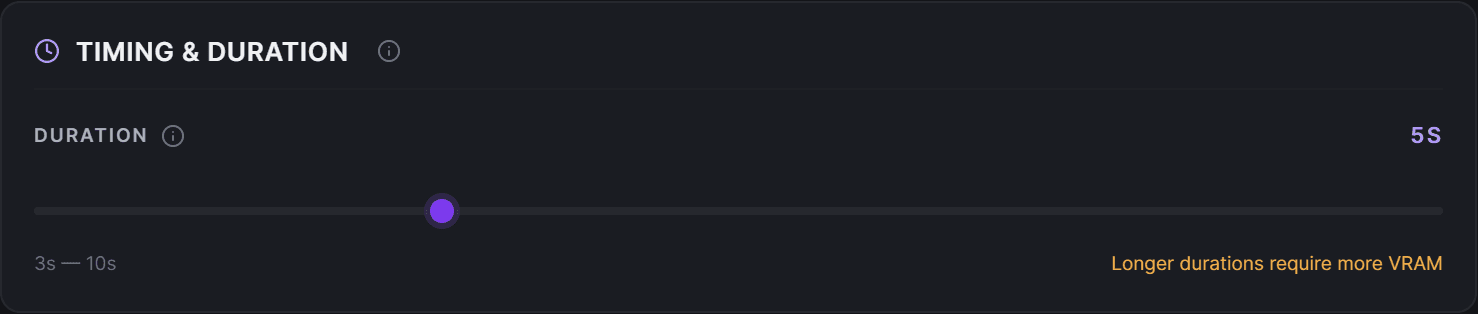
Start short while testing, then extend once you are happy with the motion and style.
Why these are capped
The available resolutions, aspect ratios, and durations come from each preset's own menu. SimpliGen keeps your choice inside that menu so generations stay reliable and, for cloud, priced correctly.