Advanced controls
Fine-tune quality and adherence with steps, guidance, and denoise.
Some presets expose advanced controls in the prompt builder for finer tuning. They are optional. The defaults are chosen to work well, so only reach for these when you want to push a specific result.
Each control has an i icon with an explanation. Here is the short version.
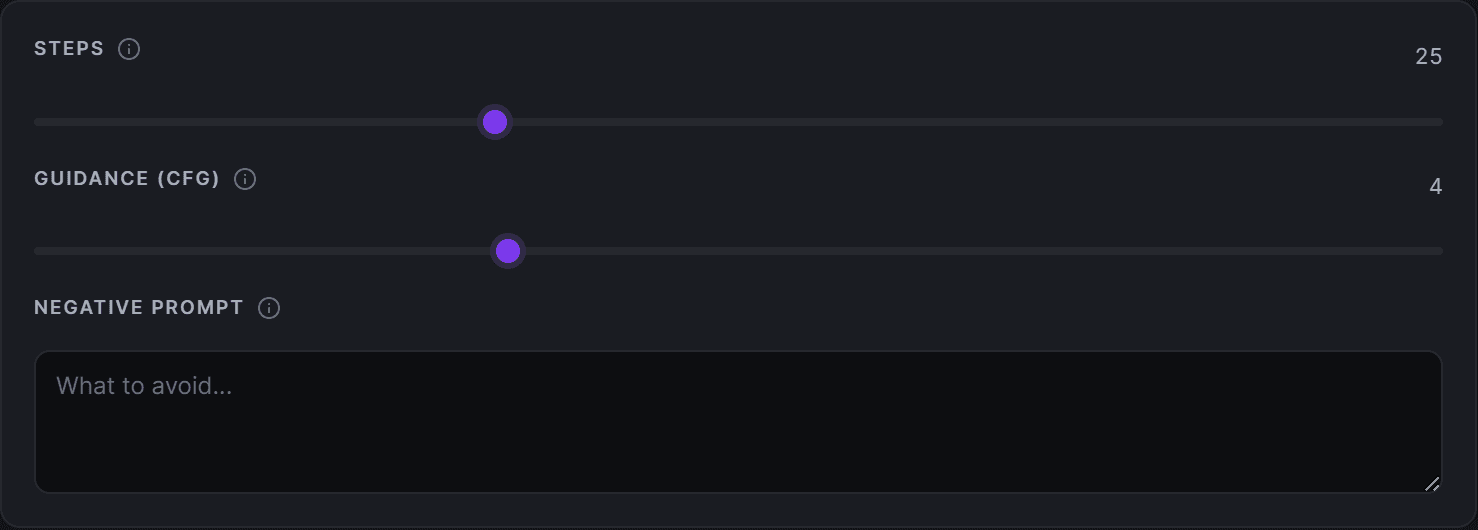
Steps
Steps are how many refinement passes the model makes.
- More steps can add detail and stability, up to a point, but take longer and, in the cloud, can cost more.
- Fewer steps are faster.
- Past a certain number the gains flatten out, so bigger is not always better.
Each preset offers a sensible range. Some models are distilled to look great at very low step counts, in which case the slider may be narrow or hidden.
Guidance (CFG)
Guidance controls how strictly the model follows your prompt.
- Higher guidance sticks closer to the prompt but can look forced or oversaturated.
- Lower guidance is more creative and natural but may drift from what you asked.
Small changes go a long way. Adjust by a little at a time.
Denoise
Denoise controls how much the model is allowed to change from its starting point. It matters most for image-to-image and editing presets.
- Higher denoise changes more.
- Lower denoise stays closer to the original.
High-pass and low-pass steps (Wan 2.2)
Wan 2.2 splits denoising into two passes. The high-pass steps run first and set composition and motion. The low-pass steps run later and refine detail and sharpness. The total steps charged on cloud is the two added together.
Shift (Wan 2.2)
Shift changes the balance of the whole diffusion schedule, not just the early steps like the high and low pass controls. It is available on every Wan 2.2 preset (14B, 5B, and Animate).
- Lower shift leans toward more motion and looser structure.
- Higher shift leans toward more stability and refinement.
Each Wan model ships with a shift that already works well, so adjust in small steps.
How this affects cloud cost
On cloud presets that expose a steps slider, the step count is part of the price, because more steps means more GPU work. The cost shown on the generate button is what you will be charged. See What a generation costs.