Direct a whole film, not one clip at a time
The Video Studio is a timeline for AI video inside SimpliGen. Cast the same characters and places into every shot, put the clips in order, and export one finished film: a music video, a short, a trailer or a story.
Timeline
Clips on a timeline, with or without music
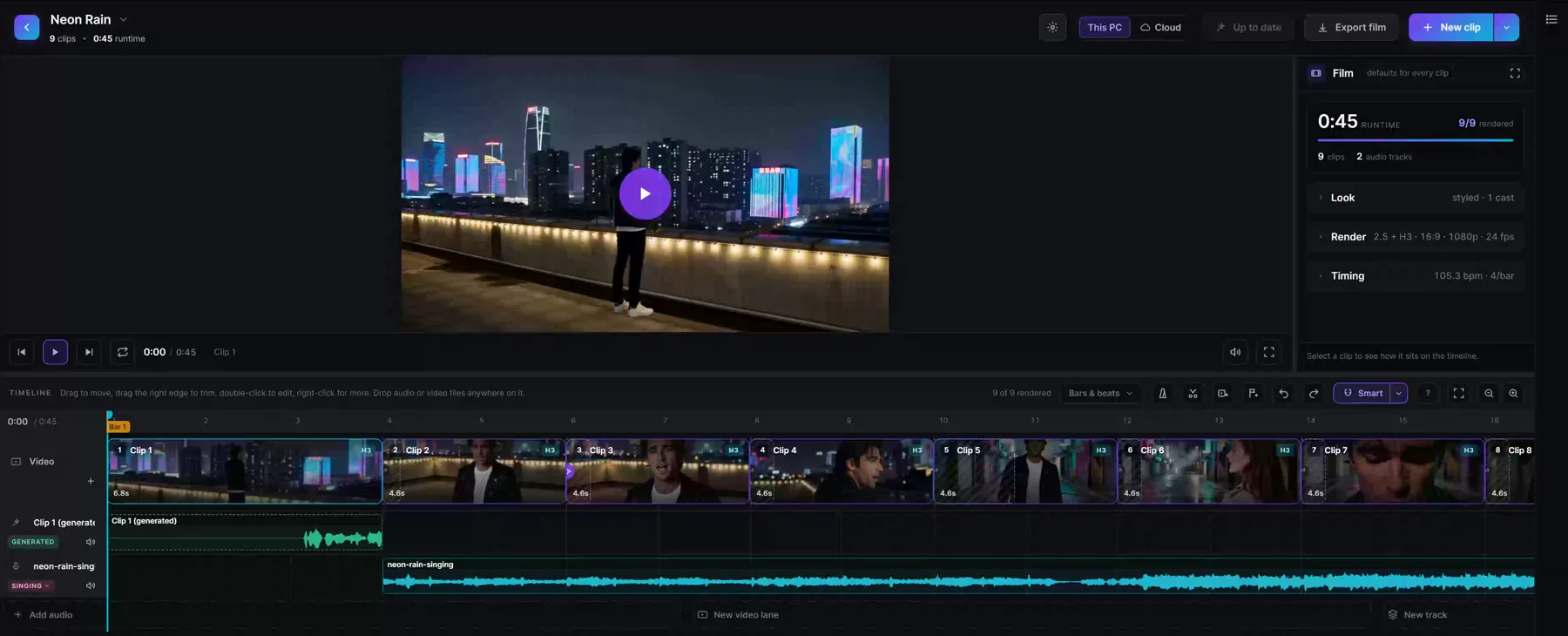
Put your clips in order on the timeline. Add a song and the ruler counts bars and beats, clips snap to them, and each clip only hears its own part of the track. Without a song, the ruler simply counts seconds.
Cast
The same faces in every shot
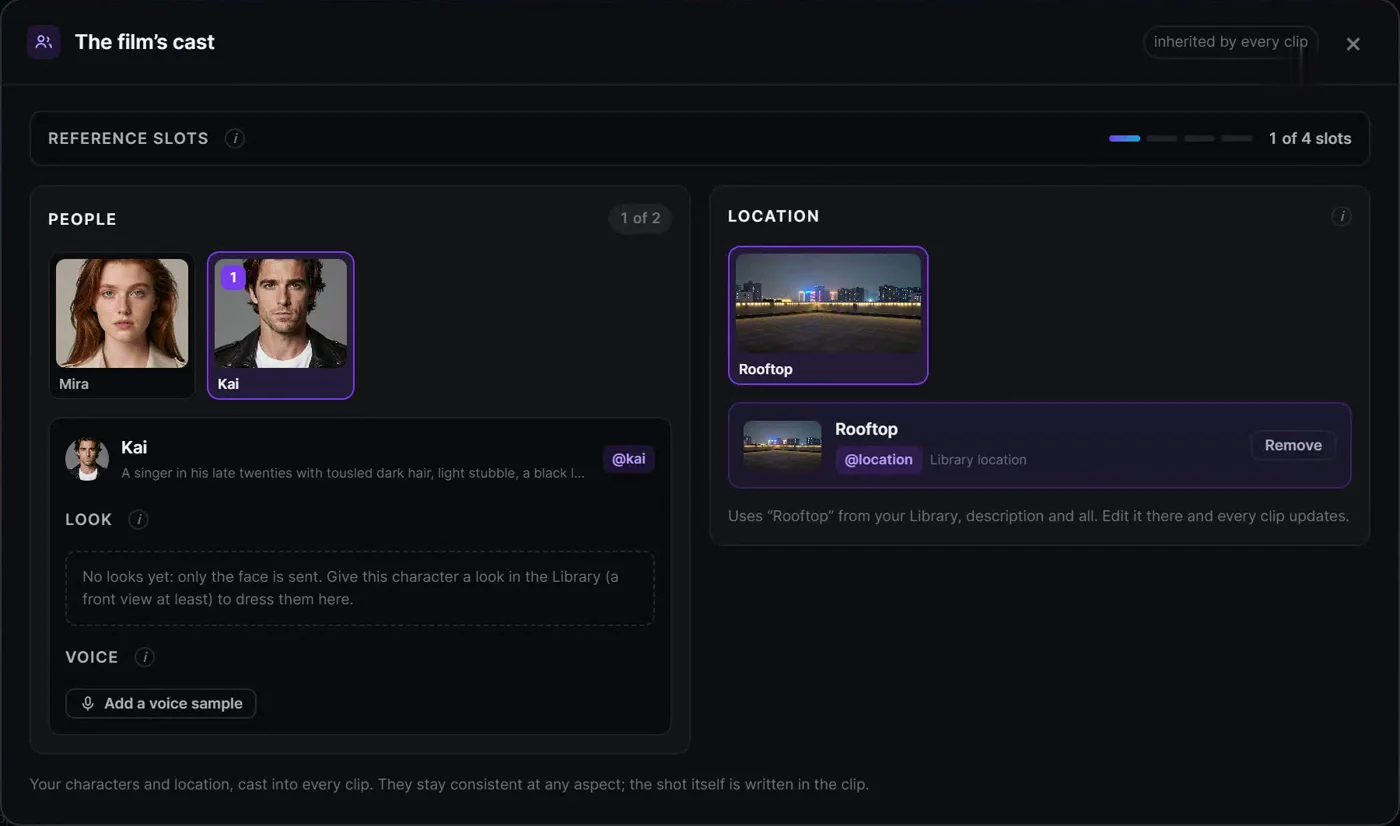
Pick the film's characters and location from your Library once, and every clip carries them. A single clip can still bring someone in or move somewhere else, just for that shot.
Shots
Write each shot, and call your cast by name
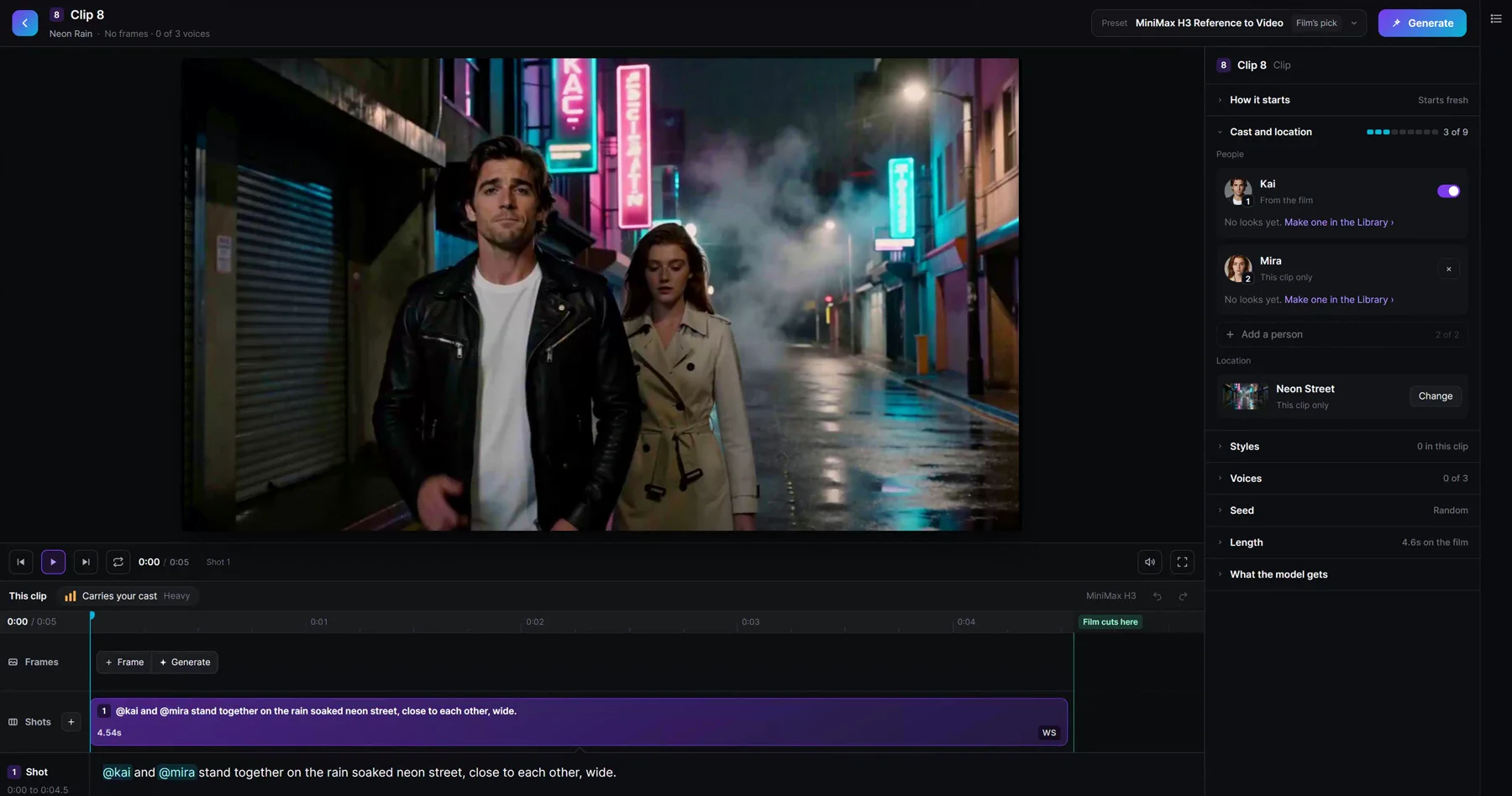
A clip is written shot by shot. Type @ and pick from the cast, so the model knows exactly who is in the frame. Give a character a line or a song and the mouth follows.
Models
The right model for every kind of shot
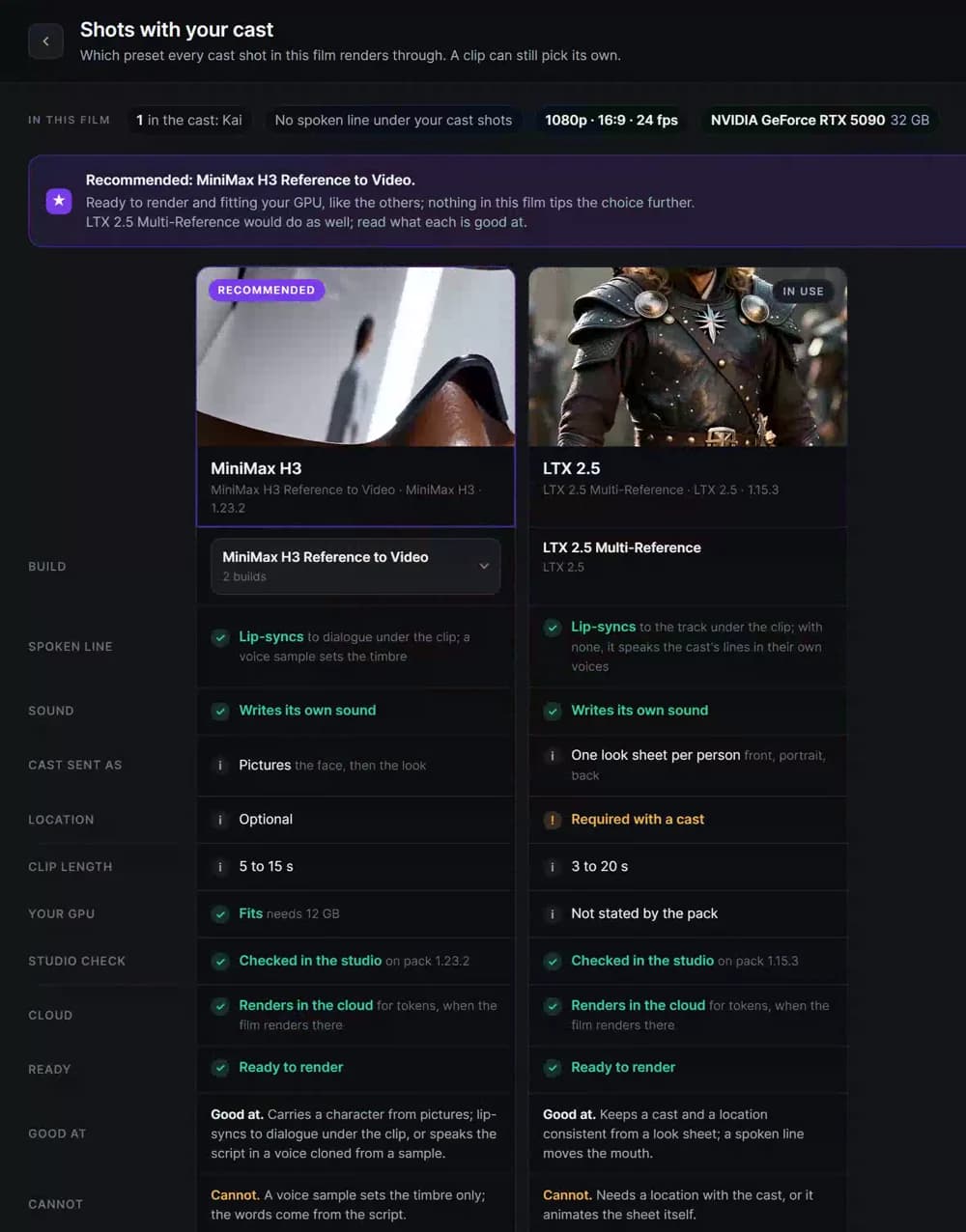
The studio puts your video models side by side: what each one is good at, whether it fits your GPU, and whether it renders in the cloud. Render on your own PC, or in the cloud for tokens.
Your next film starts here
Be among the first in when the Video Studio opens.