Every AI product video generator on the first page of Google makes the same promise: give it one photo, get back motion. The promise is real. What none of those pages tell you is what that one photo has to carry, and what it cannot carry no matter how good the model is.
I build SimpliGen, and Product Studio inside it does exactly this from one photo, on your own PC. So I have watched where it breaks, and the break is almost never the photo.
What does one photo actually have to carry?
A description, not just pixels. The photo shows the model one side of your product; the description is what keeps the render true when the camera moves to the other side.
This is the part people skip. A video model is not copying your photo frame by frame. It is regenerating your product from what it understood about it, on every frame, and it fills any gap in that understanding with what products like yours usually look like. So the description does most of the work: the shape (a cylinder, a box, a tube), the material and finish (amber glass, matte plastic), the colour, and the exact text on the label. Written like a spec, not a vibe. "Premium skincare bottle" gives the model nothing to hold on to. "A 30 ml frosted glass cylinder with a black matte pump, label text reads NIGHT REPAIR" does.
Three things we learned building Product Studio, all of them from watching output rather than reading about it.
The first is that text on the product fails on its own. Three separate people reported it to us in the space of a month this summer: one saw the product text morphing and changing during the animation, one ran the half-circle reveal and got the label back as gibberish, and one had tried several local video models and found the result good everywhere except the typography. Nothing else in those shots was wrong. That is why the exact label text is in the description rule rather than left to the photo.
The second is that you have to describe absence. A model that has seen ten thousand bottles expects a label on yours, and a blank surface reads to it as missing information rather than a design choice. So if your product has no label, the description has to say so, or the recipe will draw one. That line is in our docs because it is what happens without it.
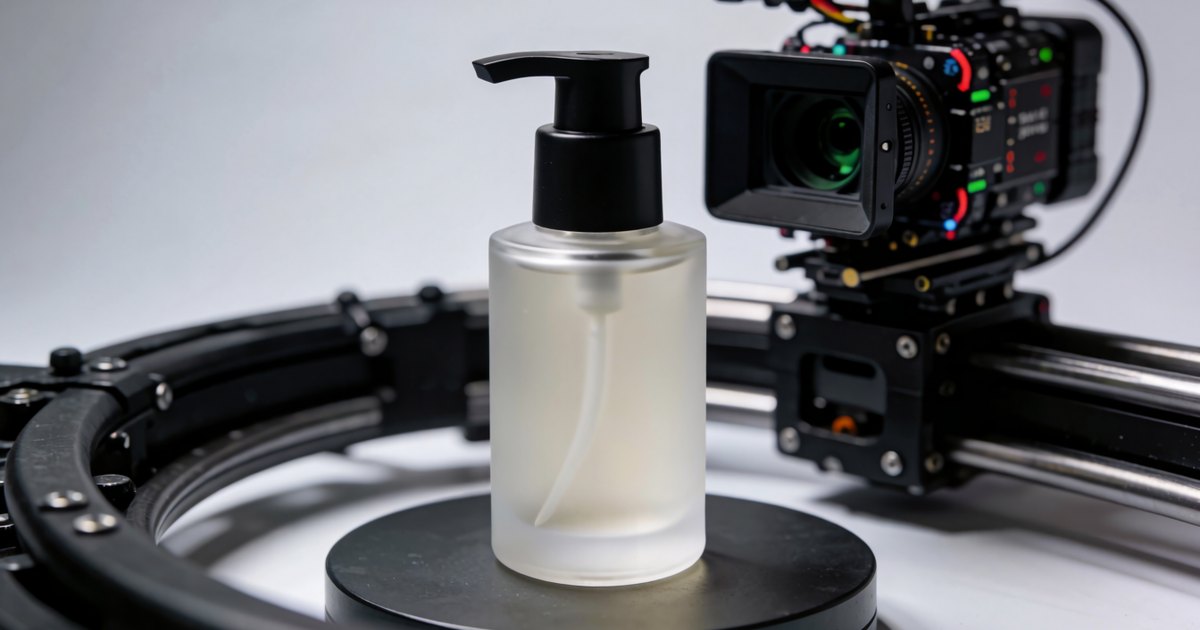
The third is that the product should not move. The reveal recipe keeps your product planted and arcs the camera around it, the way a turntable shot does, because a product that turns has to be redrawn from angles the model never saw, and identity drift across a clip is a known limit of image to video models. Moving the camera instead of the product gives the model as little as possible to reinvent.
Why is the label the hardest thing in the frame?
Because text fails independently of everything else. The lighting, the shape and the material can all be right while the brand name comes out as a near-miss of itself.
You can reduce it but not remove it. Put the exact label text in the description. Prefer shots where the label is present but not the subject; a product in a hand or on a surface is a far easier shot than a slow push-in on the packaging. And check every frame of any shot where the text is legible, because the label that is perfect at second one can wander by second four. If the label is the point of the ad, make the still first, where you can inspect it at full size before you spend minutes animating it.
Which shot should you make first?
The still. A hero image is where you find out whether the model understood your product, and it costs seconds rather than minutes.
Product Studio ships three recipes, and they are not interchangeable. The still is the cheapest way to test your description; the two video recipes ask more of it.
| Recipe | What it does | What the photo and description have to carry | What to check before you ship it |
|---|---|---|---|
| Clean Product Hero | A calm, premium still in a styled advertising setup | Shape, material, colour, exact label text | The label at full size, and the proportions |
| 180 Product Reveal | The camera arcs a half circle while the product sits still | All of the above, plus the sides you did not photograph | The unseen faces, and label continuity as the view turns |
| Splash Hero Ad | A liquid splash bursts around the product in slow motion | Material and finish, because the splash reads off the gloss | That the product stays itself under the splash |
Run the hero first, fix the description until the still is right, then run the reveal or the splash from a description you already trust. That is the same order of operations as the one that separates a UGC clip you ship from one you bin: judge it as a photograph before you judge it as a video.
What can one photo not give you?
The sides you did not photograph. A half-circle reveal has to show faces of your product that were never in the input, so the model invents them from the description and from what similar products look like.
For most packaging that is fine, because the sides are the same material and colour as the front and the description covers them. It stops being fine when the back matters: an ingredients panel, a second label, a barcode, a different colour on the reverse. One photo cannot carry that, and no description of it will be as good as a photo would have been. If the back of your product is part of the sell, use the hero or a shot that stays on the front, and be honest with yourself about what a single image can source.
How does it compare with Higgsfield, HeyGen and the rest?
They run on their servers on a subscription; this runs on your GPU on a one-time licence. Which is better depends on whether you own an NVIDIA card and how many attempts you want to throw away.
The cloud tools are genuinely good at the part they sell. Higgsfield's product video page says "drop in a product photo, paste a store link, or start from a prompt", switches models "under one subscription", and runs in your browser, so there is no hardware question at all. HeyGen takes a photo, a script or a product page link, and publishes Creator plans from $24 a month. If you do not have a capable NVIDIA card, those are the right answer and I would rather say so than sell you something that will not run.
If you do have the card, the trade is different. Product Studio runs on your own machine with no per-generation cost, so the draft-and-discard loop above costs nothing to run as many times as the shot needs, and SimpliGen itself is a one-time licence, not a subscription. It does not take a store link; you add the product yourself, once, with a photo and the description, and every recipe after that uses the same product. Whether your card qualifies takes four questions to find out.
How long does it take, and what does it cost per clip?
Minutes per video clip locally, and nothing per clip once you own the licence. The hero still takes seconds; the reveal and the splash are video, and take what video takes on your card.
The real timings on real hardware are in our post on local video, including the false alarm where most of a slow first run is the model loading rather than generating. If your card cannot do video locally, the same recipes run on SimpliGen Cloud with credits, where resolution, duration and steps drive the cost, which is one more reason to get the still right before you pay for motion.
What should you do next?
Write the description before you generate anything. Shape, material and finish, colour, exact label text, and "no label" if there is none. That one paragraph decides more of the result than the photo does.
Then run the hero, fix the description until the still is right, and only then run the reveal. This is what that looks like in practice, from one photo to a finished ad: